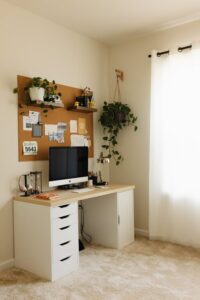
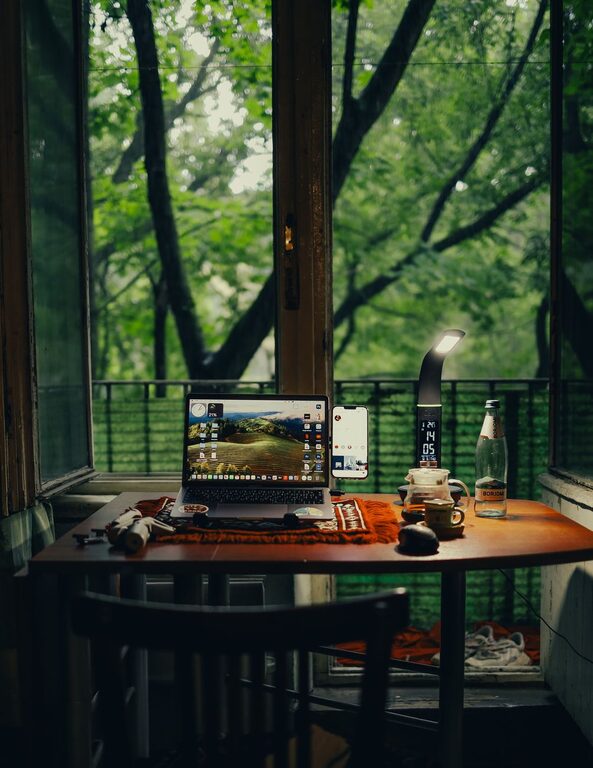
Creating a home office that is both cozy and functional can transform your work-from-home experience. Whether you have a dedicated room or just a corner to spare, designing a space that supports productivity while feeling comfortable is key. Here are practical tips to help you create a home office that you enjoy spending time in.
Choose the Right Location
Finding the ideal spot for your home office is the first step. Look for a space with enough natural light to reduce eye strain and boost mood. A quiet area away from household distractions works best. If you don’t have a separate room, consider a nook or a corner in the living room or bedroom.
Invest in Comfortable and Ergonomic Furniture
Your office furniture plays a big role in both comfort and function.
– Ergonomic Chair: Choose a chair that supports your back and encourages good posture.
– Desk: Pick a desk that fits your room and has enough surface space for your computer, documents, and accessories.
– Adjustable Options: Desks or chairs that adjust in height can prevent discomfort over long hours.
Optimize Lighting
Good lighting is essential for a cozy yet efficient workspace.
– Natural Light: Position your desk near a window, if possible, to enjoy daylight.
– Task Lighting: Use a desk lamp to illuminate your work area, especially for reading or detailed tasks.
– Avoid Glare: Position screens to avoid reflections and glare from lights or windows.
Organize with Purpose
A clutter-free office helps maintain focus.
– Storage Solutions: Use shelves, drawers, or filing cabinets to keep documents and supplies organized.
– Desk Organizers: Small containers or trays can store pens, paper clips, and other essentials.
– Cable Management: Keep cables tidy with clips or sleeves to prevent tangling and mess.
Personalize Your Space
Adding personal touches makes your office feel inviting.
– Plants: Small indoor plants can improve air quality and add a vibrant touch.
– Artwork: Hang pictures or posters that inspire you without causing distraction.
– Comfort Items: A cozy throw blanket or cushion can enhance comfort during breaks.
Technology and Connectivity
Ensure your setup supports your professional needs.
– Reliable Internet: A strong connection is crucial for video calls and online work.
– Tech Accessories: Consider external keyboards, mouse, or monitor stands to improve ergonomics.
– Charging Stations: Keep chargers and power strips accessible to avoid downtime.
Establish Boundaries and Routines
Maintaining a clear separation between work and home life helps balance both.
– Office Hours: Set specific working times and stick to them.
– Clear Separation: Physically closing your office space or packing away work items signals the end of the day.
– Break Areas: Use a separate space to take breaks away from your desk.
Maximize Small Spaces
If space is limited, creativity can help.
– Multi-purpose Furniture: Desks with built-in storage or foldable options save room.
– Wall-mounted Shelves: Make use of vertical space for storage.
– Minimalist Design: Keep only essential items to avoid crowding.
Keep It Clean and Fresh
Regular cleaning maintains a pleasant and healthy environment.
– Dusting and Vacuuming: Clean surfaces and floors frequently to avoid allergens.
– Air Circulation: Open windows or use air purifiers to keep air fresh.
– Tidiness: Spend a few minutes at the end of each day tidying up your workspace.
—
Creating a cozy and functional home office is achievable with some thoughtful planning. The right combination of comfort, efficiency, and personal style can make your work hours more enjoyable and productive. Start small, adjust as you go, and soon your home office will feel like the perfect place to get things done.