Creating a workspace at home that feels both cozy and functional can greatly improve your productivity and well-being. Whether you work remotely, study, or pursue creative hobbies, having the right environment makes all the difference. This guide offers practical tips to help you build a home office space that balances comfort and efficiency.
Choose the Right Location
Consider Natural Light and Quiet
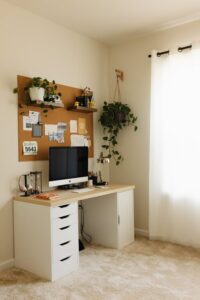
Select a spot in your home with plenty of natural light to help reduce eye strain and boost mood. Near a window is ideal, but be mindful of glare on screens. If natural light is limited, invest in good quality artificial lighting that mimics daylight.
Also, choose a quiet location away from high-traffic areas to minimize distractions. A corner in the living room, a spare bedroom, or even a converted closet can work well depending on your space.
Optimize Space for Your Needs
Think about the kind of work you do. If you need multiple screens or large documents, pick a larger surface. For minimalistic tasks, a compact desk may be sufficient. Make sure there is enough room to move comfortably and access supplies.
Invest in Comfortable, Supportive Furniture
Ergonomic Chair and Desk
Comfort is key when working at home for long hours. A supportive ergonomic chair helps maintain good posture and prevent back pain. Adjustable height chairs allow you to customize the fit.
Pair this with a desk at the right height for your body and work style. Standing desks or adjustable desks can add flexibility and promote better health through movement.
Personalize with Cozy Elements
Adding soft cushions, a warm throw blanket, or a small rug underfoot enhances comfort. A few plants on or near your desk boost air quality and create a calm atmosphere.
Organize for Efficiency
Declutter and Keep Essential Items Handy
Clutter can hinder focus. Limit items on your desk to essentials such as your computer, notebook, and a pen holder. Use drawer organizers or small containers to keep supplies neat.
Use Shelving and Storage Solutions
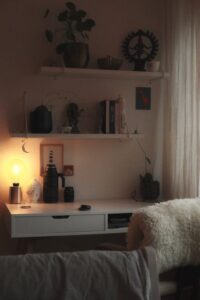
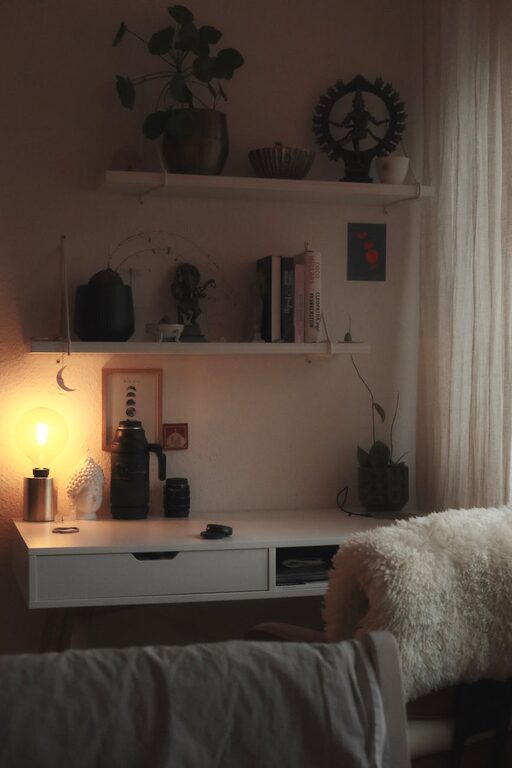
Wall shelves help maximize vertical space and keep books or decorations within easy reach. Closed storage like cabinets or bins ensures items don’t gather dust or create visual noise.
Cable Management
Tidy cables improve safety and aesthetics. Use clips, sleeves, or under-desk trays to bundle and hide wires.
Lighting for Comfort and Productivity
Layered Lighting
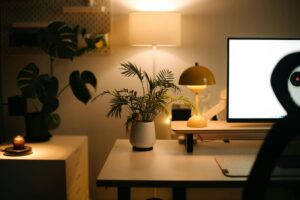
Combine ambient lighting (like ceiling lights), task lighting (such as desk lamps), and accent lighting (fairy lights or small lamps) to create a balanced environment. Adjustable desk lamps help direct light where it is most needed.
Avoid Screen Glare
Position screens so windows are to the side rather than directly in front or behind to prevent glare. Anti-glare screen protectors can also help.
Create a Calming Color Scheme
Colors influence mood and productivity. Soft neutrals like beige, light gray, or pastel tones create a soothing backdrop. Adding accent colors in accessories or artwork can add energy and personality without overwhelming.
Incorporate Personal Touches
A few meaningful personal items—photos, artwork, or souvenirs—make the workspace inviting and motivating. Avoid crowding to keep the area balanced.
Maintain a Routine and Clean Regularly
A tidy, organized workspace encourages focus and efficiency. Make it a habit to clear your desk and put things away at the end of each day. A clean space also supports hygiene and comfort.
Final Thoughts
Your home workspace should be a place where you feel focused and relaxed. By thoughtfully considering location, furniture, organisation, lighting, and personal touches, you can create an environment that supports your daily productivity and well-being. Take your time to set up your space—you’ll likely see a positive impact on how you work and feel at home.