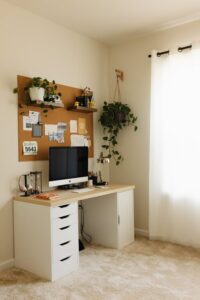
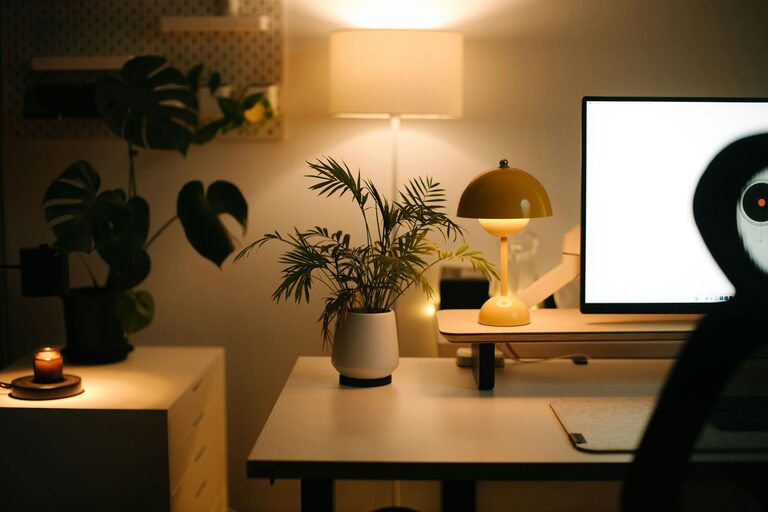
Creating a comfortable and inviting workspace at home is essential for boosting productivity and making your workday more enjoyable. Whether you spend a few hours or the entire day working from home, having a space that feels welcoming can positively affect your mood and focus. Here are practical tips to help you design a cozy and efficient home workspace.
1. Choose the Right Location
Your workspace location can make a big difference in comfort and concentration.
– Natural Light: If possible, pick a spot near a window to enjoy natural light, which improves mood and reduces eye strain.
– Quiet Environment: Select a quieter corner of your home to minimise distractions and noise.
– Space Availability: Ensure there is enough room for your desk, chair, and storage essentials without feeling cramped.
2. Invest in a Comfortable Chair
Spending long hours seated calls for a chair that supports your posture.
– Ergonomic Design: Look for a chair that offers adjustable height, lumbar support, and comfort.
– Material: Choose breathable materials, like mesh or fabric, that help maintain airflow.
– Mobility: A chair with wheels can make it easier to move around your workspace.
3. Optimize Your Desk Setup
A well-organized desk keeps your work tools within reach and promotes efficiency.
– Proper Height: Your desk should ideally allow your elbows to rest at a 90-degree angle.
– Declutter: Keep only essential items on your desktop to avoid distractions.
– Storage: Use drawers or baskets for papers, stationery, and cables to maintain tidiness.
4. Personalize Your Space
Adding personal touches can make your workspace feel more inviting.
– Plants: Small indoor plants not only add colour but also improve air quality and mood.
– Artwork: Hang inspiring artwork or photos for visual stimulation.
– Colour Scheme: Incorporate colours that calm you, such as soft blues or greens.
5. Use Proper Lighting
Good lighting reduces eye fatigue and creates a warm atmosphere.
– Natural Light First: Maximise daylight hours by positioning your desk accordingly.
– Desk Lamp: Use a lamp with adjustable brightness and warm light tones.
– Avoid Glare: Place screens and lamps to reduce reflections and shadows.
6. Manage Cables and Electronics
Tangled cables can make your workspace look messy and distracting.
– Cable Organizers: Use clips, sleeves, or boxes to keep wires neat.
– Wireless Devices: Consider wireless keyboards or mice to reduce clutter.
– Charging Stations: Designate an area for charging devices neatly.
7. Create a Break Area Nearby
A small space for quick breaks can refresh your mind during long work sessions.
– Comfortable Seating: Add a cozy chair or cushion nearby.
– Relaxing Elements: Include a small bookshelf, soft lighting, or a diffuser for calming scents.
– Stay Hydrated: Keep a water bottle or tea mug within reach to encourage regular hydration.
8. Maintain Good Air Quality
Fresh air helps maintain focus and well-being.
– Ventilation: Open windows regularly or use an air purifier.
– Plants Again: Certain plants can help purify indoor air.
– Avoid Overheating: Use fans or adjust heating to keep the temperature comfortable.
9. Set Boundaries for Work and Relaxation
Separating your work area from relaxation spots helps maintain work-life balance.
– Defined Workspace: Use rugs or room dividers to visually separate the area.
– Work Hours: Try to keep consistent work hours to mentally switch between tasks and downtime.
– No Work Zones: Avoid using your bed or sofa as primary workspaces to relax properly later.
10. Keep It Clean and Tidy
A clean workspace contributes to a clear mind.
– Regular Cleaning: Allocate time daily or weekly to clean and organise.
– Minimalism: Keep decorations and office supplies to a minimum.
– Use Storage Solutions: Boxes, shelves, and drawers help prevent clutter buildup.
—
Creating a cozy and inviting home workspace doesn’t require a major renovation. Small changes focusing on comfort, lighting, organisation, and personal touches can transform your space into a hub of productivity and calm. Keep these tips in mind as you design your ideal work-from-home environment.